 Travel Template
Core Feature
Building an Itinerary
Each day is its own card, so you can lay out places and times in order.
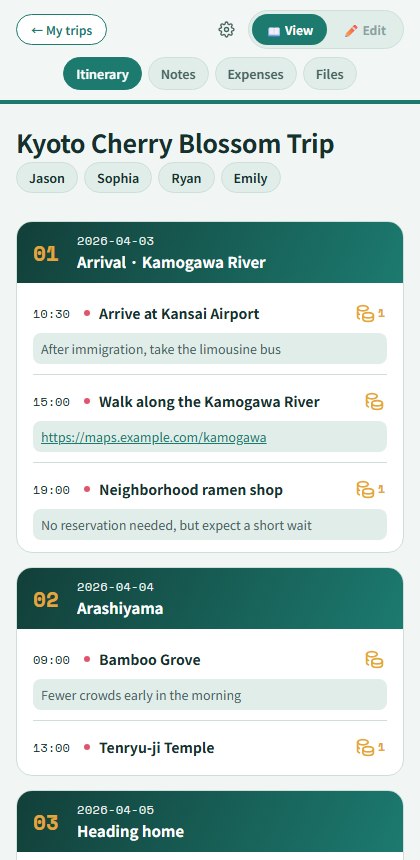
Day cards with timed stops
Add or remove a day
Use "+ Add a day" at the bottom of the Itinerary tab to add more days, and the ✕ on each day card to remove one. (At least one day must remain.)
Add a place and time
Set a time (24-hour dropdowns) and a place or to-do for each stop. Use "+ Add stop" to keep adding stops within a day.
Add a note
Each stop can carry a short note. Paste a URL and it becomes a clickable link automatically.
Jump between days
While scrolling, a translucent day-jump rail appears on the left. Tap a dot to jump straight to that day.
Add travelers
Add or remove names in the traveler chips at the top. (It's just a label, not a shared account — planning together with friends is coming soon.)