 Travel Template
Core Feature
Tracking Expenses
Attach an expense to any stop, and see totals broken down by currency.
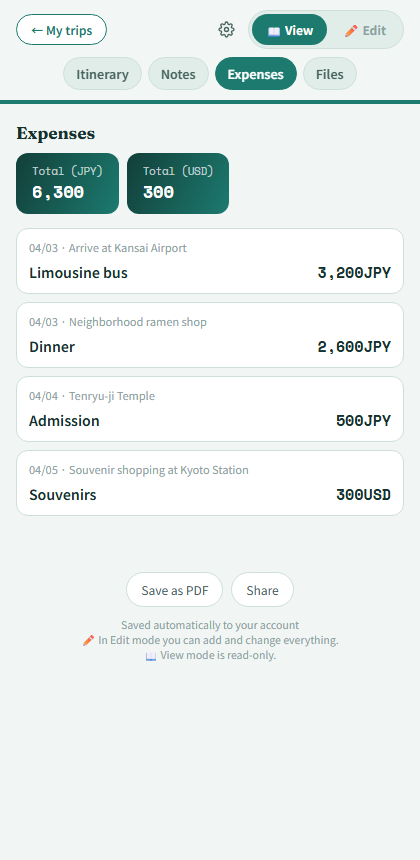
Expense tab with currency totals
Add an expense
Tap the coin icon next to any stop to open the expense form. Enter an item name, amount, currency, and an optional note.
Multiple currencies
Choose from 15 built-in currencies, or type a custom one under "Other" if yours isn't listed.
Totals by currency
The Expenses tab shows an auto-summed card per currency — handy when your trip crosses borders.
Edit or delete
Reopen any expense from the Expenses tab or the stop's coin icon to change or remove it.